The Creative Brief
Everything you need to start in the gym niche: sample content direction, how to set up, and simple guidelines. You just film, and we handle all the editing.
Sample content direction
Your filming essentials
Start with you
You’re the star of every clip, so set yourself up to look and feel your best.
- Be well restedSo you have the energy to move, pose and enjoy the shoot.
- Do a few warm-up setsBefore filming, so your muscles are pumped and look fuller.
- Enjoy it!Have fun with your poses. When you’re having a good time, it shows on camera.
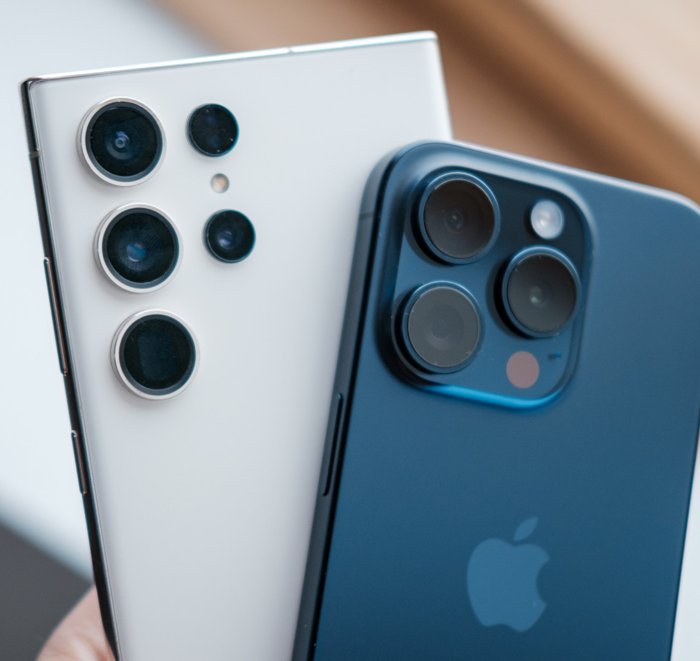
Your phone
Use the back camera, because it’s much sharper. Wipe the lens before every take so your video isn’t blurry.
Tripod
Keeps your phone steady at the right height, so your clips come out smooth and your hands are free to pose.
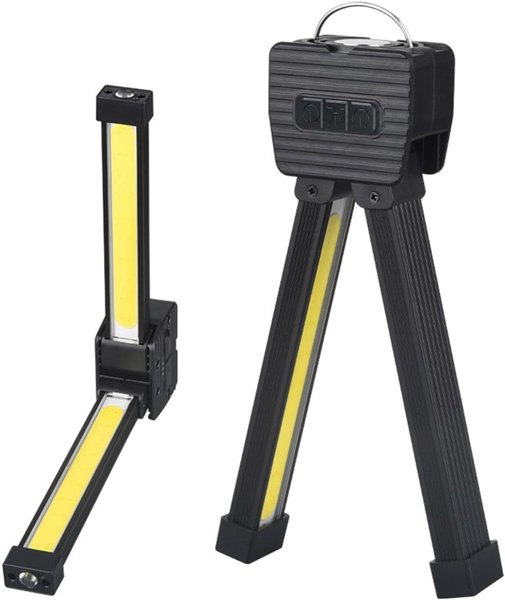
Gym lamp
A small fold-out LED light that shapes your muscles with shadow. It stands, hangs, or sticks to a wall or mirror. See Setup for where to put it.
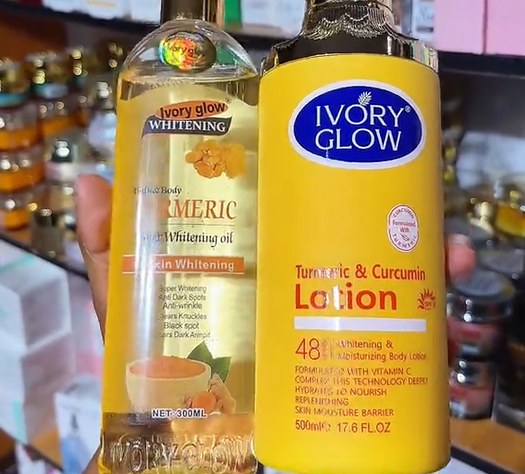
Body oil or glow lotion
Gives a just-trained, sweaty glow and helps your muscle lines catch the light. Keep it light: glowing, not greasy.
A dark workout outfit
Gym wear like a sports bra, crop top, leggings or joggers in black, charcoal, navy or dark grey. Not required, but highly recommended, because dark colors make your skin and muscles the main thing in the shot.
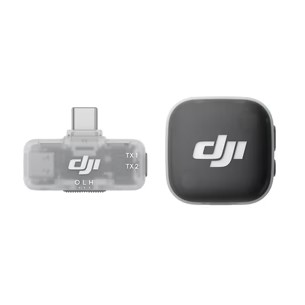
Wireless clip-on mic
Have one ready for script reels where you talk. Clip it near your collar so your voice comes through clearly over gym noise.
Why dark colors work better for your workout outfit
A dark workout outfit is highly recommended but not required. You can still film in other colors and get great clips. Dark colors just make your muscles stand out more, because:
- Contrast. Eyes always go to the brightest part of a picture. In dark clothes, that’s your skin and your muscles.
- Brightness. Your phone sets brightness for the whole frame. Big white or bright clothes make it darken everything, so your skin looks dull. Dark clothes let the phone brighten you.
- Clean shadows. Bright colored fabric reflects its color onto your skin and fills in the shadows that show definition. Dark fabric doesn’t.
Light and shadow show your muscles
Muscles are ridges and grooves. When light comes from above or the side, it hits the top of each muscle and misses the grooves between them, so the grooves fall into shadow. Your brain reads that light-and-shadow as shape, and it naturally expects light to come from above. That’s why the same body can look flat in one room and sculpted in another.
- Turn off the room lights, or find a dimmer corner of the gym, so your lamp is the only light shaping your muscles.
- Set up your lamp accordingly, so it creates the shadows that show your muscles.
- Set your tripod in front of you and check yourself on screen, so you can fix the light before you start filming.
Phone height changes the vibe
- Eye level: feels close and approachable, like you’re talking to the viewer.
- Chest height: the standard for full-body posing.
- Low, looking up (hip height or on the floor): you look strong, confident and powerful.
Quick lighting tips
- ✕ No ring light or flash pointed straight at you. It fills in your shadows. If you use one, raise it above you and tilt it down.
- ✓ Light behind you can look great because it outlines your body. Just keep some light on your front too, or you’ll turn into a silhouette.
- ✓ Move away from bright white walls. They bounce light into your shadows.
- ✓ Dark is good, but you should still see detail in the shadows, so nothing important gets lost.
- ✓ Seeing stripes or flicker under gym lights? Switch your video to 30 fps. It matches how most lights pulse, so the flicker goes away.
Lighting guide
A few quick videos showing the lamp in action.
Get your phone ready
Do this once
- Video quality: 4K at 30. Sharp video gives us room to zoom and crop when we edit. iPhone: Settings → Camera → Record Video. Android: the gear icon in your camera’s video mode.
- Turn HDR video off. It can make colors look washed out once the reel is posted.
- Turn the grid on. It helps you stay in the middle of the shot.
Every time you film
- Film in your phone’s camera app, not the Instagram camera. It records in much better quality.
- Always film vertical.
A few guidelines
1 · Film 30–60 seconds
Keep the camera rolling. We’ll pick the best moments and edit them down to reel length, so more is better.
2 · End where you started
Optional, but recommended
Try to finish in the same pose or outfit you opened with. It lets us make the reel loop smoothly, so people watch it again.
3 · Look into the lens
Even one second of eye contact makes viewers feel connected to you, like you’re looking right at them. That connection is what makes people want to follow you.
4 · Build your signature
Something people can recognize you by in one second, even with the sound off: a hairstyle, a watch, a cap, your tattoos, a favorite pose. It doesn’t have to be in every video. It builds up over time, and the more people recognize you, the more they trust and follow you.
5 · Film in a gym or fitness setting
A gym, a home gym, or any space with workout equipment tells people right away that you’re a fitness creator. Filming in your bedroom or kitchen can make it unclear what your page is about.
6 · Let your face pose too
Flex your body, not your face. While your muscles work, keep your face relaxed and expressive: a confident smile, a smirk, a focused look. Strained or blank faces look awkward on camera, so practice your poses in the mirror with your face included.
7 · Practice before you film
Run through your poses once before you hit record, so you already know what you’re doing.
The 10-second check
Tick through this for every shoot. Your checks are saved on this device only.